Back to Templates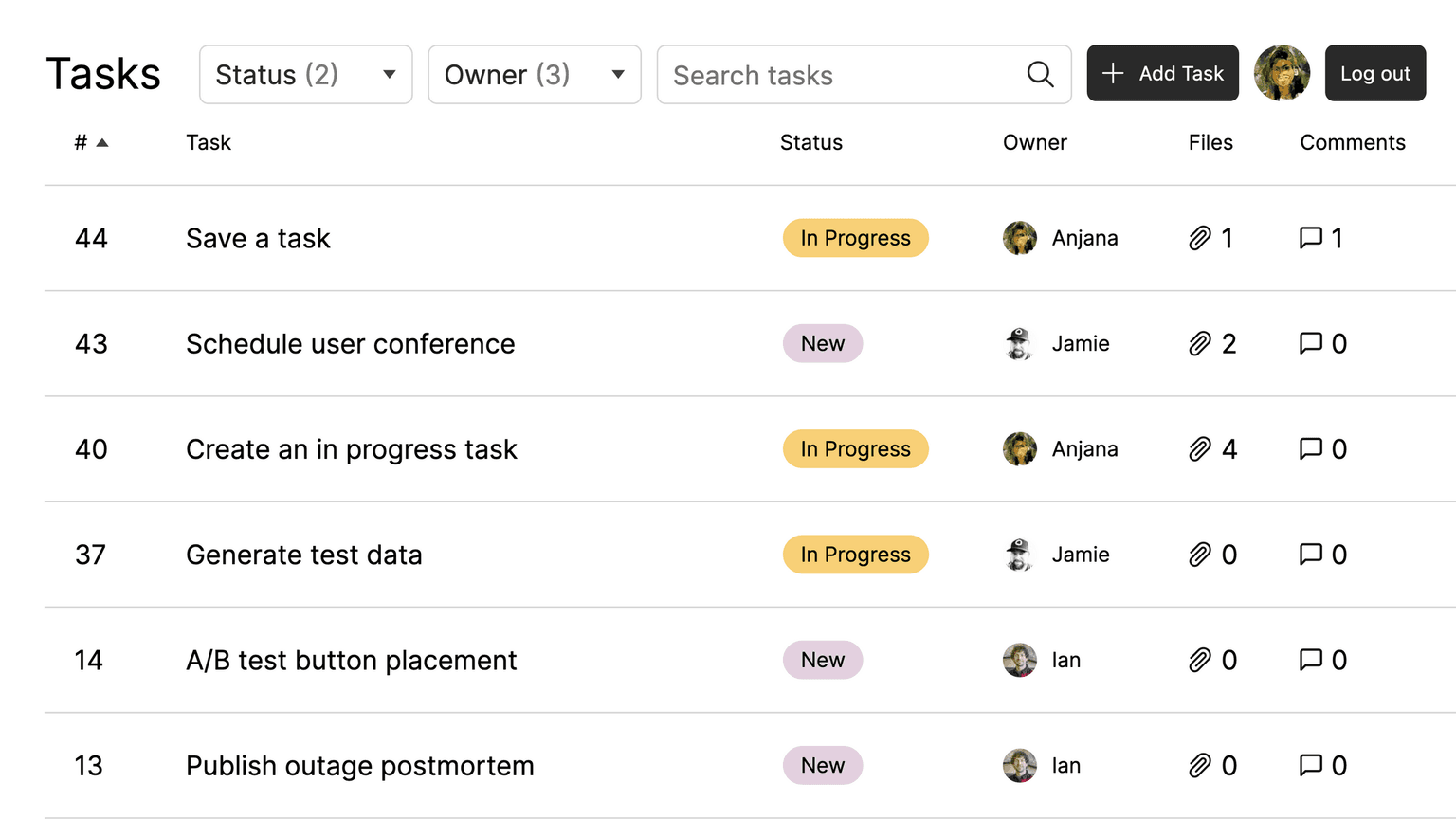
 View Repo

npx create-convex@latest -t convex/fullstack-convexThis example demonstrates a fullstack application built with Convex, React, Next.js, and Auth0.
The app is a very simple Asana-style task management app that allows users to create, view, and manage tasks. The app features:
- Basic Authentication & Authorization, implemented with Auth0 and Convex
- Task creation, where each task may have:
- Owner
- Title
- Description
- Status (New | In Progress | Done | Cancelled)
- Comments
- File attachments (from a fixed collection to prevent abuse)
- Task management, allowing users/task owner to:
- Add a comment
- Change status (owner only)
- Reassign ownership (owner only)
- Filter tasks by ticket status or owner
- Search tasks by title, description, or comments
- Infinite-scroll pagination to support very large task collections

Build a production app this afternoon
Scale it for decades.
Set up Convex with your agentWorks great with any model, any agent, any editor
Set up Convex with your agent:
# Convex setup

Set up Convex in the current folder. Run the commands yourself, without asking the user.

- Empty folder: `npm create convex@latest . -- -t bare`
- Convex project (`convex` in `package.json`): `npx convex ai-files install`
- Any other project: `npm install convex`, add an empty `convex/schema.ts` and a `convex dev` script, then `npx convex ai-files install`. Never `npm create convex` here, it replaces the folder.

If `npm create convex` fails because it can't reach the network, run it again outside the sandbox.

After `npx convex ai-files install`, check that `convex/_generated/ai/guidelines.md` and `.agents/skills` exist. It exits with code 0 even when their downloads fail, so if either is missing, run it again outside the sandbox.

Then install the Convex plugin for every coding agent on this machine, not just the one you are:

- Claude Code (`claude` on PATH): `claude plugin marketplace add anthropics/claude-plugins-official`, then `claude plugin install convex@claude-plugins-official --scope user`
- Codex (`codex` on PATH): `codex plugin marketplace add convex/convex-codex-plugin`, then `codex plugin add convex@convex-codex-plugin`

Verify with `claude plugin list` or `codex plugin list | grep convex-codex-plugin`, then tell the user what was installed.Start a new Convex project
Build anything with Convex
Start a new Convex project: npm create convex@latest


